
The single most common reason a gaming setup looks cheap is not the furniture — it is the strip. Visible LED dots, uneven colour and harsh spots all trace back to one decision: which strip format you chose.
This guide compares the three formats you will actually meet — COB, SMD and RGBIC — and tells you which one belongs in a gaming room.
Table of Contents
1. The Three Formats, Briefly
| Format | What it is | Light appearance | Best at |
|---|---|---|---|
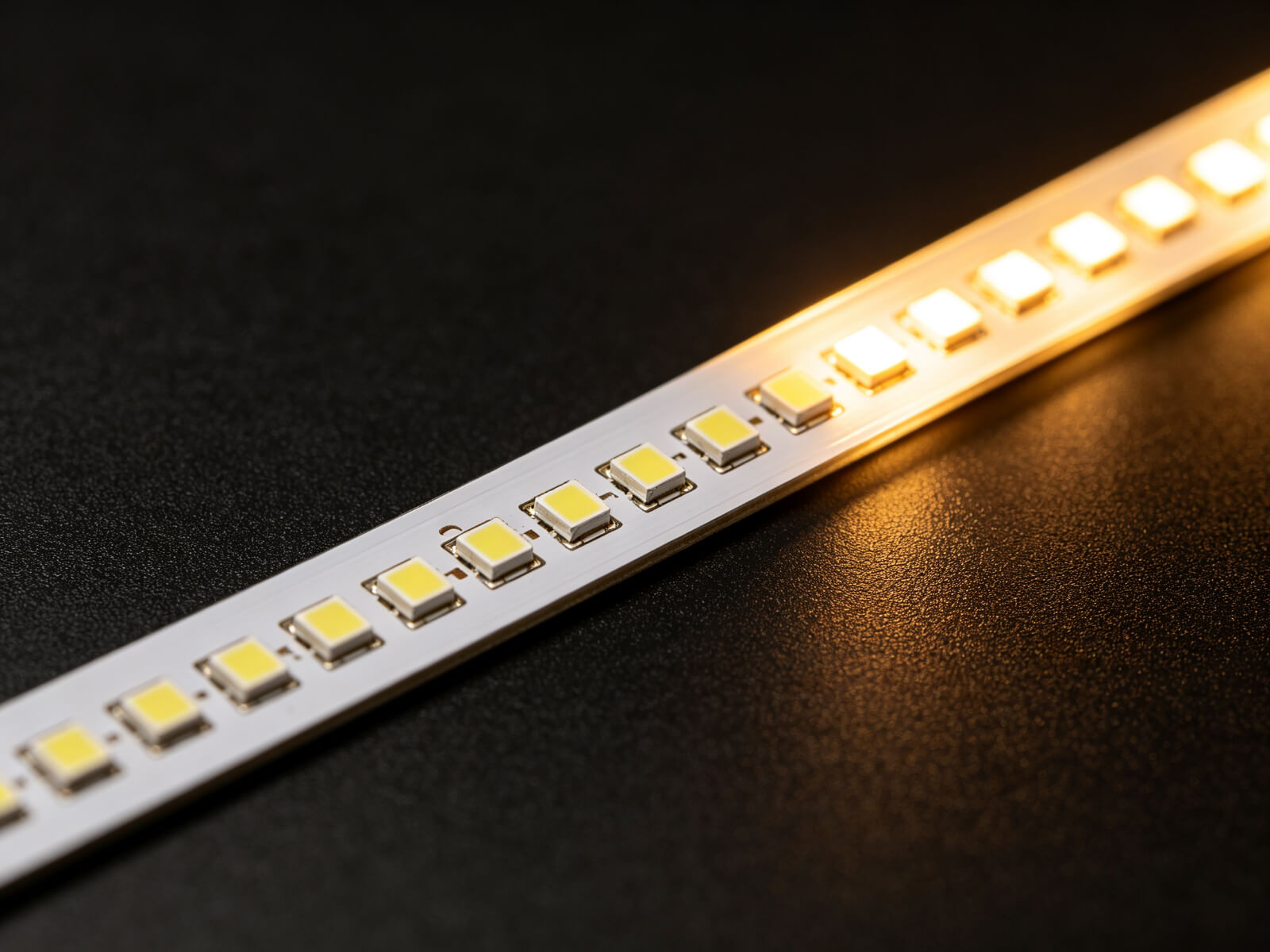
| SMD | Individual surface-mount LEDs | Visible dots at close range | Budget accent behind furniture |
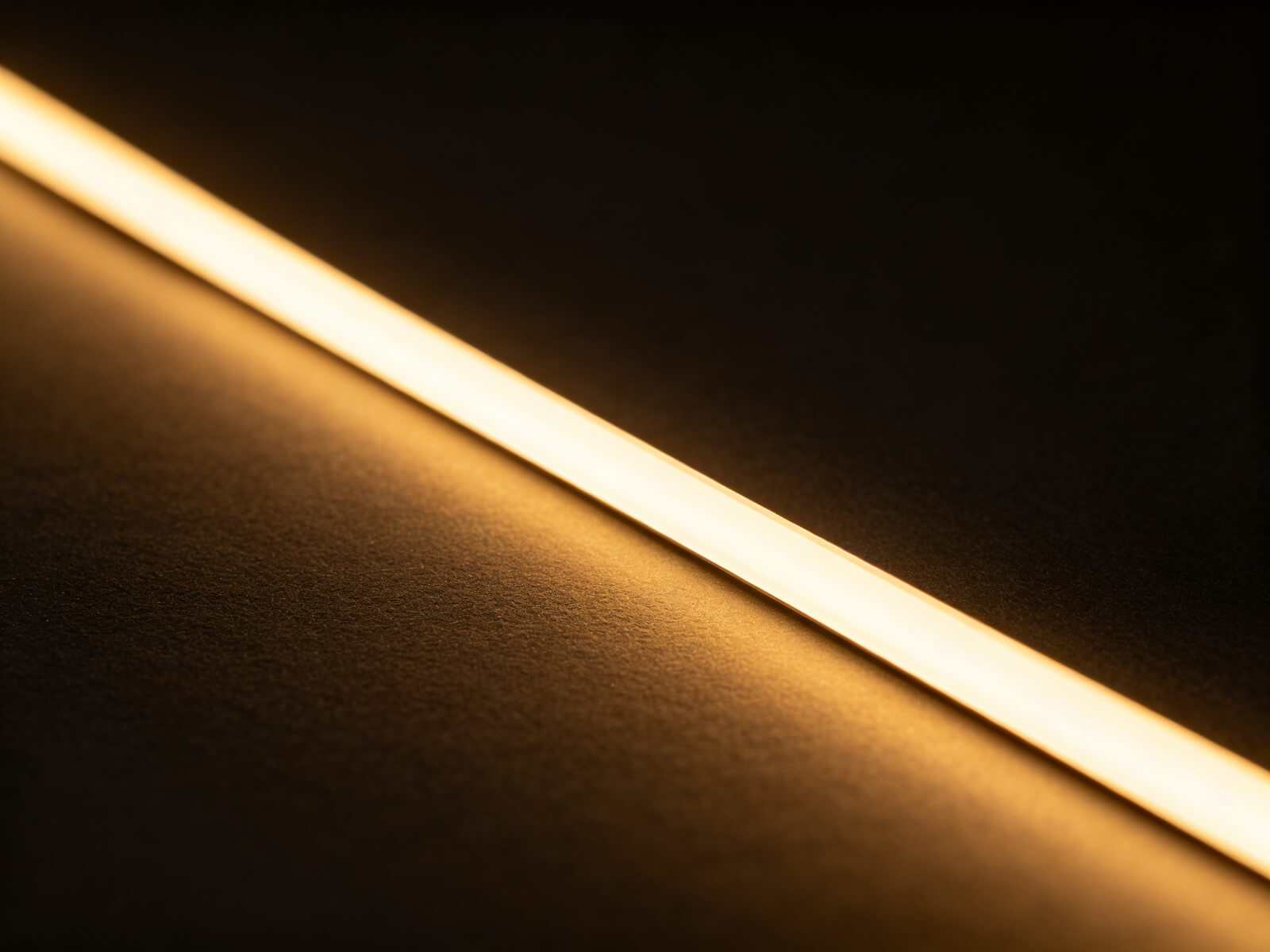
| COB | Chip-on-board: dense chips under one phosphor | Continuous, dotless light line | Visible runs, coves, bias light |
| RGBIC | Addressable colour LEDs | Individual colour control per segment | Streaming effects and gradients |

2. Why COB Looks Premium and Cheap Strips Do Not
Dots are the giveaway behind most of the gaming room lighting mistakes — worth a read before you choose a format.
In a gaming room, strips are usually visible — behind desks, in coves, along ceilings. At viewing distance of 1–3 metres, an SMD strip\u2019s dots are plainly visible and instantly read as “stick-on LEDs”.COB (chip-on-board) puts dense, tiny chips under a continuous phosphor coating, producing one uninterrupted line of light. There is nothing to point at — which is exactly why COB is the default choice for visible runs in premium setups.
There is a second, quieter advantage: because the light is uniform, you need less output for the same perceived glow. That feeds directly into the 30–40% brightness discipline that keeps a room comfortable.
Dotless by Design
No visible LEDs at any distance — the premium look starts here.
Even Colours
Uniform phosphor means no green or pink patches along the run.
Efficient Glow
Smooth distribution means lower brightness levels still read as full.
Bias-Ready
Neutral-white COB is the ideal 6500K bias light behind a monitor.
3. Do You Actually Need Addressable LEDs?
RGBIC (addressable) strips can run gradients, chase effects and screen-sync. They are also the most expensive, the most power-hungry, and the least useful for the two lighting jobs that matter most in a gaming room: good white light and one clean accent colour.
Ask yourself one question: will the room actually run effects for hours, or are you buying the capability? Most buyers use RGBIC for a week, then park it on a static colour — paying a premium for a mode they never run. If that sounds like you, a quality single-colour or tunable-white COB strip is the smarter purchase.
4. 12V vs 24V for Desk and Ceiling Runs
Clean installation depends on the format too — see how to install LED strips in a gaming room — and the 30–40%% brightness rule shows why COB efficiency helps keep levels comfortable.
Voltage matters more than most guides admit, because it sets your maximum run length and voltage-drop behaviour:| 12V strips | 24V strips | |
|---|---|---|
| Maximum clean run | ~5 m (varies by density) | ~10 m before noticeable drop |
| Voltage drop | Visible sooner on long runs | Better for ceiling and long runs |
| Cut interval | Usually 3 LEDs | Usually 6 LEDs — coarser cuts |
| Best for | Desk and short accent runs | Ceiling perimeters and long runs |
For most gaming rooms the rule is simple: 12V for the desk, 24V for anything that runs across the room. Always size the driver at 120–130% of the total load.
5. The Decision Table
Match your actual use to the right format:
Visible runs — choose COB
Anywhere the strip can be seen: under desks, in coves, along ceilings. Dotless wins.
Bias lighting — choose neutral COB
6500K COB behind the monitor is the correct, premium bias light.
Streaming effects — choose RGBIC
If gradients and sync are the point of the room, RGBIC is justified.
Hidden budget accent — SMD is fine
Behind furniture where it is never seen, SMD saves money with no visual cost.
Whichever format you choose, install it so it looks built-in — our installation guide covers channels, corners and clean mounting.
6. Frequently Asked Questions
▶Is COB better than SMD for a gaming room?
For any visible run, yes. COB produces a continuous dotless light line that reads as premium, while SMD shows visible LED dots at gaming-room distances.
▶Do I need RGBIC strips for a gaming setup?
Only if you will actually use gradients and screen-sync effects for hours. For clean single-colour and good white light, a quality COB or tunable-white strip is the better purchase.
▶Can I fix visible LED dots without changing strips?
A frosted diffuser channel hides dots and evens the light, but it cannot fully match a COB strip. If the run is visible, COB is the cleaner fix.
▶What voltage LED strip should I use?
12V for short desk runs; 24V for ceiling perimeters and long runs. Size the driver at 120–130% of total load to avoid drop and heat.
▶Is 12V or 24V better for LED strips?
Neither is universally better. 24V carries power farther with less drop, ideal for long runs; 12V offers finer cut intervals, ideal for desks and short accent runs.
Spec the Right Strip Format
Tell us your runs and what the room needs to do — COB, tunable white or RGBIC — and we will quote the exact strip, voltage and driver package.
Contact KayTai
Good comparison for gaming builds. COB strips give that smooth line without visible dots, which matters for monitor backlighting. The RGBIC note about independent segments is useful when planning effects on long runs.
Great comparison for gaming setups. The breakdown of COB vs SMD density explains why some strips look seamless and others show dots. The RGBIC section is useful if you want effects without complicated controllers.
The comparison table finally explains why our COB strips look smoother on camera than the SMD set we tested. The density and dot pitch explanation helped me explain the difference to a client who insisted on buying the cheapest option. Well worth the read.